|
Home
Recent Images
Galaxies
Nebulae
Natural Color
Narrow Band
H-Alpha
Clusters
Comets
Solar System
Observatory
Equipment
My Freeware
Tips & Tricks
Published Images
Local Weather
Terrestrial
Send Email
|
About Color Bias and Applying
Color Balance Ratios
|
Color bias and gradient
removal are linear processes using only addition or subtraction. Color
balancing uses multiplication or division. Therefore color bias and
gradient removal are performed before color balancing.
This test shows that
removing the color bias before or after applying color ratios makes
little or no difference in the final color. However, this is no excuse
for not doing the processes in the proper order. It may make a
difference.
Aperture
photometry subtracts the surrounding background level from a star's
brightness. So addition or subtraction pixel math has no effect on color
balance calculations. When using several stars for determining color
balance, gradient removal may have a very small, less than 1%, effect.
With the following images, the eXcalibrator results were nearly
identical before and after gradient or color bias removal. |
|
Software Used:
PixInsight (PI) for gradient removal.
eXcalibrator for color balance calculations.
CCDSstack for pixel math and RGB image creation. |
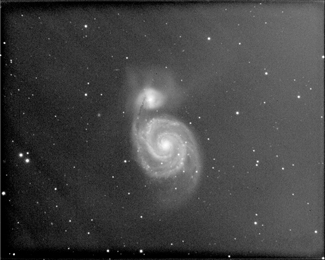
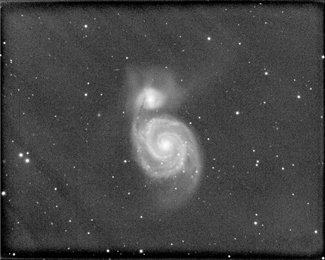
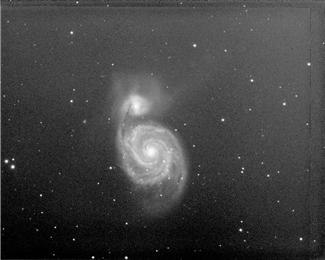
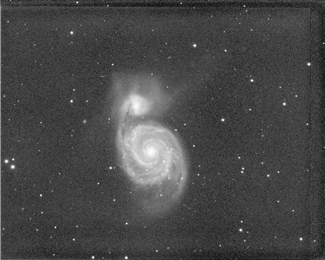
| The test image
gradients vary greatly between the three color channels. The best result
was obtained by processing the color channels individually. |
|
 |
 |
|
Original Red |
Flattened Red |
 |
 |
|
Original Green |
Flattened Green |
|
|
|
|
Original Blue |
Flattened Blue |
|
Changes caused by
PixInsighrt
scaling.
When PixInsight loads a FITS
image the data are immediately rescaled from 0.0 to 1.0. To use the data
with eXcalibrator, the PI files were saved as 16-bit unsigned integer.
With this format, PI uses a scale of 0 to 65,535. This rescaling also
changes the color balance. With the original data, the RGB color
correction ratios are 1.000, 1.054 and 1.152. After PI rescaling the RGB
ratios changed to 1.000, 1.084 and 1.341. EXcalibrator
calculated the ratios by using 22 stars from the SDSS-
DR9 data.
The PixInsight rescaling
also changed the color bias from red to blue. Since no data are lost,
the rescaling is not a problem. |
|
 |
 |
|
Original Data |
After PixInsight
Rescaling |
|
The rest of
this presentation uses the PixInsight R,G and B images with the
gradients removed. Pixel math was used to remove the color bias. The red
data was increased by 3,860 and the green by 4,135. |
|
 |
 |
|
Before Color Bias Removal |
After Color Bias Removal |
|
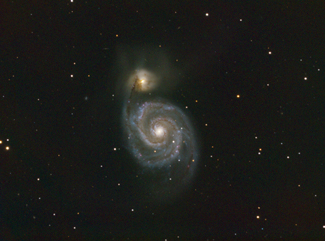
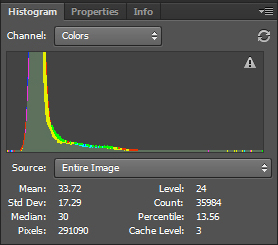
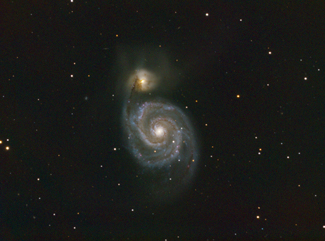
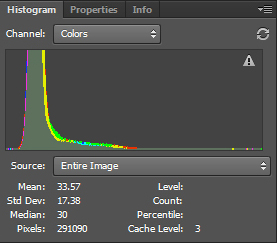
The following
two images are with the bias removed before and after applying color
balance ratios. In this case there is no perceived difference in the
final color. This may be because the the pixel values of the galaxy are
much greater than the background. With very aggressive color ratios, or
an image dominated by a nebula, the difference may become visible.
|
|
 |
 |
|
Color Balance Set
Before Removing Color Bias
|
 |
 |
|
Color Balance Set After
Removing Color Bias |
|
